Skip to content

Pharmacy management software

Manage your pharmacy.
From stock to billing.

Stock, expiry tracking and billing for retail and hospital pharmacies.

app.astrai.in/velocity/dashboard
Active Session
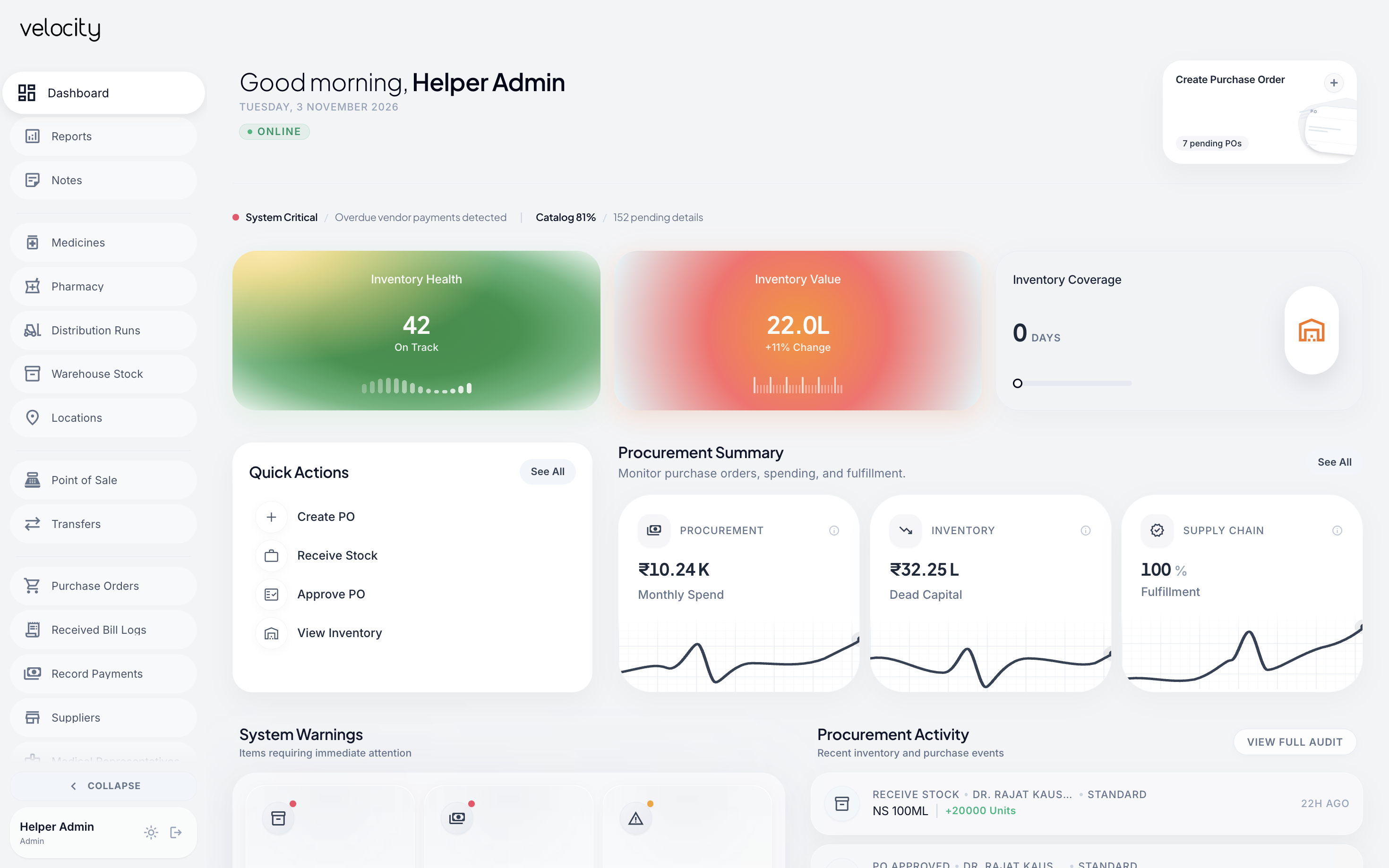
Velocity dashboard showing inventory health, inventory value, coverage, quick actions and procurement summary
Save money. Know what’s not selling.

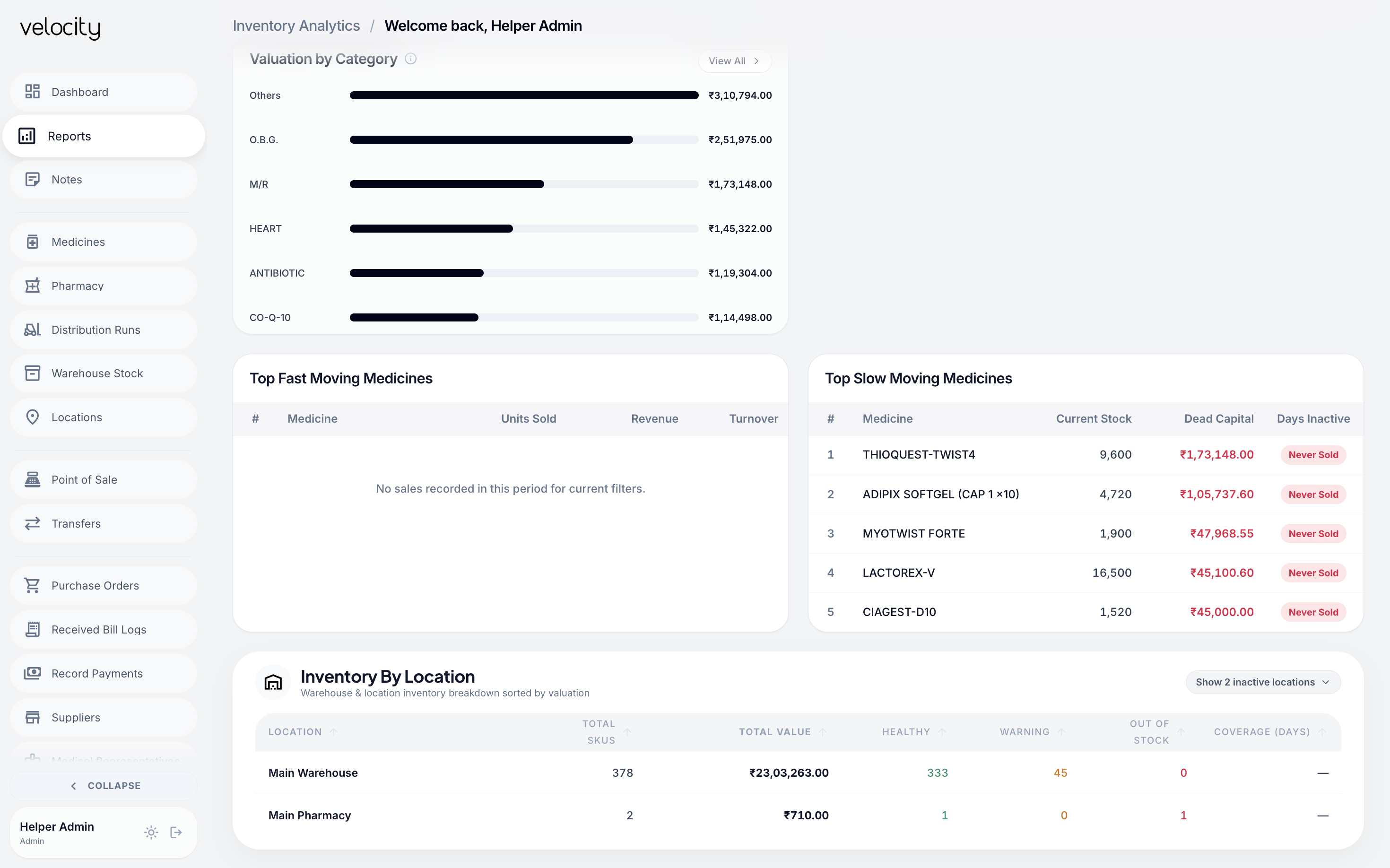
See which medicines are selling slowly or nearing expiry, so you can make better buying decisions.

Explore stock
Know what to order and when.

See what’s running low and review what you need before ordering.

Explore reordering
See how your pharmacy is doing.

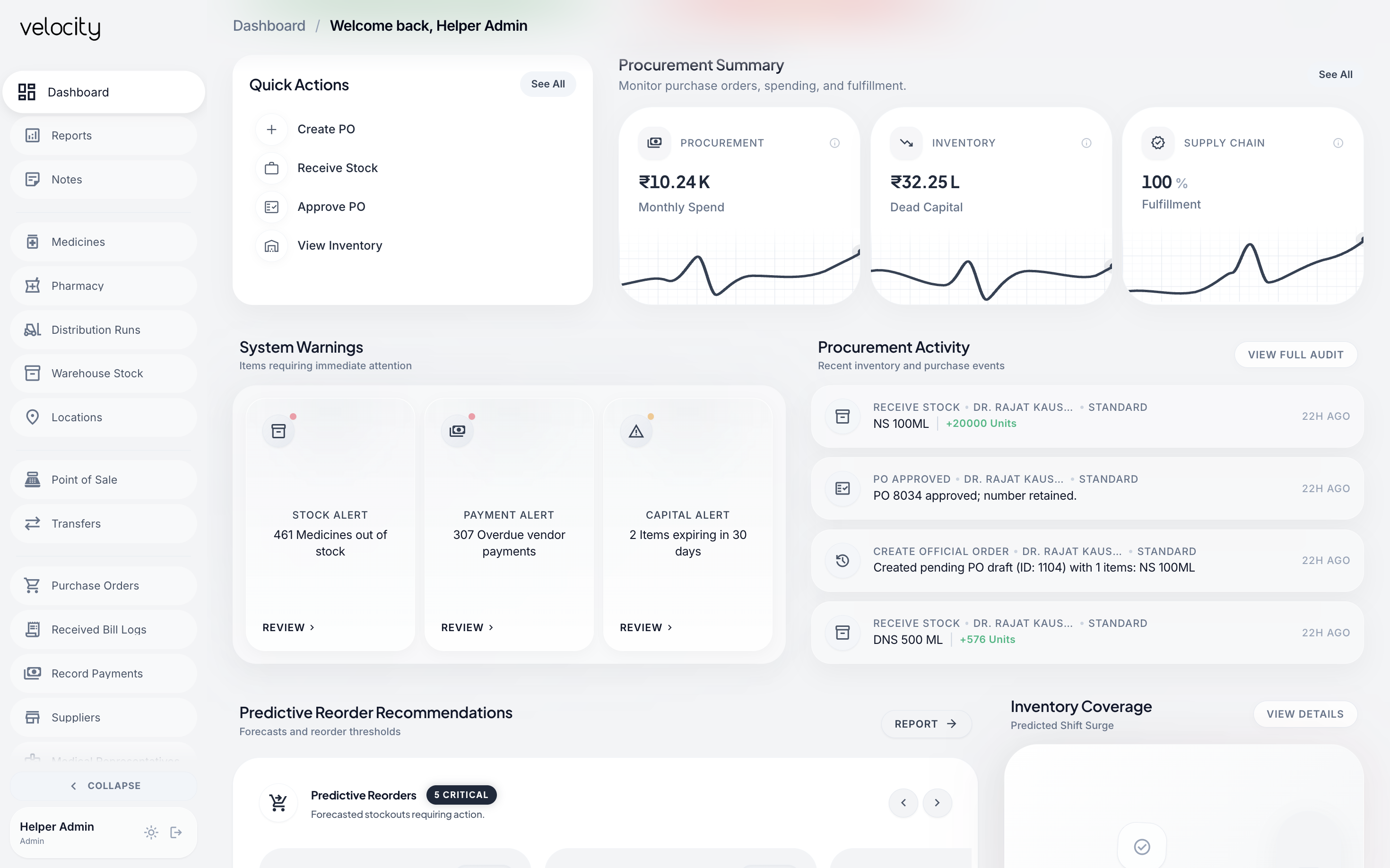
Keep track of sales, stock, and daily activity in one place.

Explore daily work
Key Capabilities

Stock, purchases and billing in one system.

One workspace for day-to-day pharmacy operations.

Stock by location
Batch & expiry tracking
Patient sales & stock tracking
One-click Tally sync Higher-tier

Stock across locations

Find medicines by location, batch, expiry date, and available quantity.

Smarter reordering

Review suggested quantities based on stock levels and consumption history.

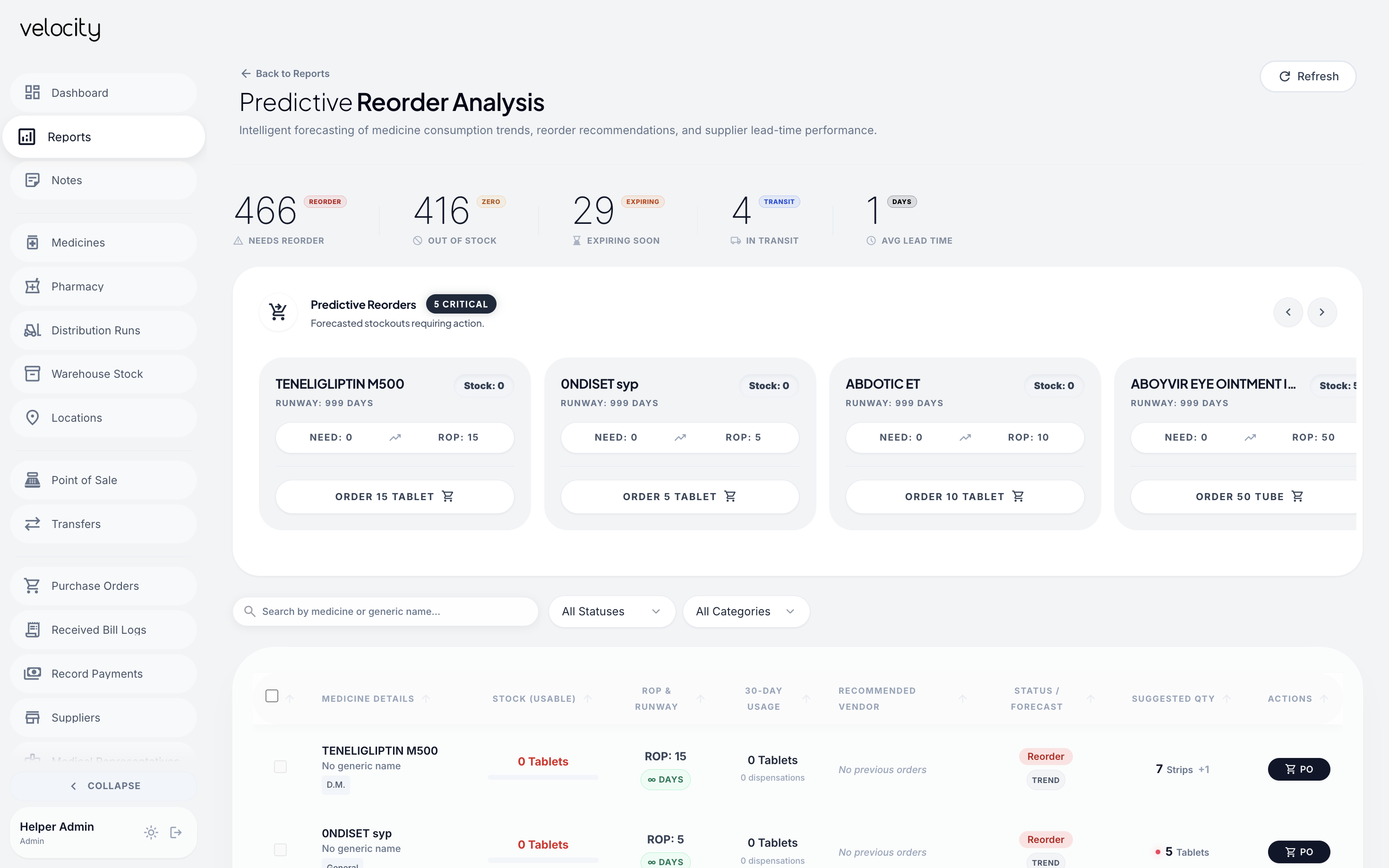
Velocity reorder recommendations showing current stock, reorder thresholds and suggested order quantities

AI-enabled recommendations

Review reorder suggestions.

Stock levels. Consumption history. Suggested quantities.

Your team reviews before ordering.

How reorder suggestions work

Find medicines to reorder

Spot medicines needing replenishment.

Review suggested quantities

Check suggested quantities against stock and usage.

Prepare the order

Review suggestions before preparing a purchase order.

Purchasing and receiving

Follow purchase orders, approvals, deliveries, and supplier records.

VELOCITY ↗Purchasing

Purchase order PO–0024

Awaiting approval

Supplier Northstar Pharma

Purchase order
Medicine Ordered
Paracetamol 500 mg 60 strips
  1. Created
  2. Review & approve
  3. Receive
See the order-to-receipt steps
  1. Create order
  2. Review & approve
  3. Record receipt
VELOCITY Purchasing

Start with the details

Purchase order

PO–0024
Supplier
Northstar Pharma
Order status
Pending approval
Purchase order quantities in strips
Medicine Qty / strips
Paracetamol 500 mg · 10 tablets / strip 120
Amoxicillin 250 mg · 10 capsules / strip 80

Prepared for your team.
Ready for review.

02 items
VELOCITY Receiving

When the delivery arrives

Goods receipt

GR–0018

Against PO–0024 · Showing 1 of 2 ordered medicines

Supplier
Northstar Pharma
Record
Receipt excerpt

Paracetamol 500 mg

120 strips received
Batch number
PCM–0426
Expiry
Apr 2028

Quantities, batches, expiry.
Recorded on receipt.

Your team reviews and approves the order before recording a delivery.

Explore the purchasing workflow

Create and approve purchase orders.

Create purchase orders and review them before ordering.

Record medicines received.

Record delivered quantities, batches, expiry dates, and supplier bills.

Track supplier bills and payments.

Keep supplier details, recorded payments, and bill corrections together.

Hospital medicine supply

Follow medicine requests from the hospital store through dispatch and receipt.

  1. RequestHospital store
  2. PrepareCentral pharmacy
  3. DispatchCentral pharmacy
  4. ReceiveHospital store
At the Hospital Store
Requesting End
  1. 01
    Request medicines Nurse logs demand for fast-moving items with strip counts.
  2. 04
    1-tap inward check Delivery arrives, barcode scanned, goods verified into store stock.
At the Central Pharmacy
Fulfilling End
  1. 02
    Automated FEFO picking System allocates batches expiring soonest to prevent stock loss.
  2. 03
    Gate pass dispatch Dispatched with runner verification token for zero unaccounted stock.

Stock movement uses approval workflows. Rejected deliveries have a supported return process.

View full example Close full example
VELOCITY ↗Step 1 · Hospital Main Store

Store Requisition Slip

Medicine request raised

SR–0024
Originating Hospital store
Fulfilling Queue Central pharmacy
Status
Request raised Indent logged
Medicine transfer request items and quantities
Medicine Batch & Expiry Qty
Paracetamol500 mg · 10 tablets / strip PCM–0426 Apr 2028 120 strips
Oral rehydration saltsSingle-dose sachet 21.8 g ORS–1125 Nov 2027 40 sachets
VELOCITY ↗Step 2 · Central Pharmacy Hub

FEFO Picking Slip

Earliest-expiring batch reserved

PK–0024
Central Rack Zone B-12 / Bay 4
Allocation Strategy First-Expired First-Out
Status
Stock prepared Batch allocated
Allocated batches and expiry dates for transfer
Medicine & Batch Expiry Date Status
Paracetamol 500mgBatch PCM–0426 · 120 strips Apr 2028 Earliest expiry Reserved
ORS Sachets 21.8gBatch ORS–1125 · 40 sachets Nov 2027 Earliest expiry Reserved
VELOCITY ↗Step 3 · Dispensary Transit

Security Gate Pass

Medicines dispatched

GP–0842
Dispatched From Dispensary Counter A
Destination Hospital Main Store
Status
Dispatched In transit
Assigned Internal Runner Ramesh K. · Badge #14
OTP Token 4921
Seal #TS–9912 Tamper-evident container sealed. Custody chain verified.
VELOCITY ↗Step 4 · Inward Verification

Goods Receipt Note

Medicine receipt confirmed

GRN–0092
Received At Hospital store
Dual Ledger Balance Synchronized 100%
Status
Receipt recorded Verified inward
Verified inward medicine quantities and ledger reconciliations
Medicine & Batch Delivered Inward Check
Paracetamol 500mgBatch PCM–0426 120 strips ✓ 120 / 120
Oral rehydration saltsBatch ORS–1125 40 sachets ✓ 40 / 40
Both central pharmacy & hospital store ledgers balanced with 0 discrepancy.

Requests. Dispatches. Both stock ledgers kept in sync.

Stock movement uses approval workflows. Rejected deliveries have a supported return process.

Everyday operations

Manage billing, ward medicines, accounts, and reports in one workspace.

01 · BILLING & PAYMENTS

Manage patient billing
and payments.

Record medicine sales, select batches automatically, and keep each payment linked to its bill.

  • Accept Cash, Card, and UPI split payments.
  • Review bills, credit settlements, and payment history.

For independent pharmacies and hospital pharmacy counters.

VELOCITY ↗Pharmacy counter

Counter & billing

Patient sale recorded

BILL–0024
Pharmacy bill in Indian rupees
Medicine Amount
Paracetamol500 mg · 4 strips ₹120
Oral rehydration salts8 sachets ₹160
Example bill total₹280

Sales. Payments. A record to return to.

02 · WARD MEDICINES

Record medicines
issued and returned.

Follow medicines beyond the pharmacy, from ward issue to recorded consumption and return.

  • Record ward issues and consumption with scan-based workflows.
  • Manage medicine returns to the pharmacy.

Ward modules are available for enabled hospital setups.

VELOCITY ↗Ward operations

Hospital ward · Example location

Medicine issue recorded

Paracetamol 500 mgExample activity · Quantities in tablets
  1. Issued to wardFrom the pharmacy
    30
  2. Consumption recordedAt the ward
    18
  3. Returned to pharmacyReturn recorded
    2

From the pharmacy. Through the ward.

03 · ACCOUNTS & TALLY

Export pharmacy records
for your accounts team.

Prepare pharmacy records for your accounts team, with the details ready for their review.

  • Map ledgers, preview records, and export Tally XML.
  • Download GST audit spreadsheets or use higher-tier Tally sync.

One-click Tally sync is available on a higher-tier plan. Your team handles accounting and filing.

VELOCITY ↗Accounts & exports

From pharmacy records to accounts

Accounting exports ready

XML
Tally XML

Accounting export

GST
GST audit spreadsheet

Data for your team's review

SYNC
One-click Tally sync

Available on a higher-tier plan

Ledger mappingExport previews & history

Organised records. A clearer handoff.

04 · REPORTS & ACCESS

Review stock alerts
and daily activity.

Bring stock risks, operational reports, and recorded activity into one shared view.

  • Review low-stock, near-expiry, and slow-moving medicines.
  • Set role-based access and follow recorded inventory changes.

Check reporting periods and data freshness. Some reports use snapshots.

VELOCITY ↗Reports & access

Stock attention report

Daily pharmacy summary

Example reporting period · 01–30 Sep 2026

Medicines requiring stock review
Medicine Review
Paracetamol500 mg Low stock
Amoxicillin250 mg Expiry review
Role-based accessRecorded activity

Visibility for the people responsible.

Module availability depends on your configured setup.

Medicine workflows

Follow packs and loose units, order progress, and accounting exports.

VELOCITY ↗Stock detail

Paracetamol 500 mg

Main pharmacy · 10 tablets / strip

12Full strips
6Loose tablets
Total available126 tablets
Batch PCM–0426Exp. Apr 2028

Track stock in packs and loose units.

See medicine stock in packs and loose units, with batch, expiry, and location details together.

VELOCITY ↗Order trail

From order to counter.

  1. Order approvedPO–0024 · Reviewed by your team
  2. Stock receivedGR–0018 · 60 strips logged
  3. Ready for dispensingAvailable at the pharmacy counter

Follow orders, stock receipts and dispensing.

Keep purchasing, receiving, and dispensing connected, so your team can follow the next step.

VELOCITY ↗Report & handoff

Consumption at a glance.

Paracetamol 500 mg · Tablets dispensed

Tally exportPrepared for accounts review

Plan purchases using stock and consumption reports.

Bring stock reports, supplier payments, and accounting exports into one shared workspace.

Risks and activity

Review stock risks, trace adjustments, and check reports remotely.

VELOCITY ↗Stock attention

Know what needs a review.

BELOW REORDER LEVEL
Amoxicillin 500 mg

Main pharmacy · Batch BX–8941

6 packs on handReorder level: 20

Review stock before placing your next order.

Module availability depends on your configured setup.

THE DETAILS THAT MAKE A DIFFERENCE

Compare capabilities

Use this checklist to explore the capabilities your team needs.

Open the comparison checklist

Scroll sideways to compare all columns.

Pharmacy software evaluation checklist and Velocity capabilities
Capability What to check in other software Velocity
Search by salt composition Can you find stocked medicines with matching salt composition? Find medicines with the same salt composition and see where they are stocked.
Loose-medicine tracking Can you track individual units as well as full packs? Track loose units alongside full packs and see remaining quantities.
POS on staff devices Can staff collect invoice payments from their own devices? Staff can collect invoice payments directly on their devices, helping customers avoid a separate billing queue.
AI-powered reorder recommendations Do reorder suggestions use stock and consumption patterns? Use AI-based predictive analysis to recommend medicine reorders, with staff reviewing the suggestions.
Staff stock-transfer requests Can staff request stock from other locations? Staff across multiple locations can raise stock-transfer requests.
Stock across locations Can you check medicine availability at each location? See which medicines are available and in what quantities across locations.
Automatic narcotics tracking How are narcotic medicines tracked? Automatically track narcotic medicines within pharmacy operations.
Staff noticeboard and tasks Can staff see operational notices and assigned tasks? Give staff a shared place to see their tasks and operational notices.
In-depth operational analytics Can you investigate operations beyond billing totals? Explore inventory, purchasing, sales, supplier, and hospital reports, including slow-moving stock and expiry risk.
Remote owner visibility Can owners access reports away from the pharmacy? Access available reports and recorded activity through a browser with an internet connection.
Vendor payment records Can you review supplier payments alongside purchasing records? Record vendor payments and review payment history alongside purchasing records.
Batch and expiry tracking Can you follow batches and identify stock nearing expiry? Track medicine batches and identify stock nearing expiry across locations.
One-click Tally sync and GST audit export How does pharmacy data reach the accounts team? One-click Tally sync and GST audit export.
GST return filing Is direct return filing available today? Coming soon

Questions, answered

Explore common questions, then discuss your setup in a demo.

Is Velocity suitable for my pharmacy?

Hospital pharmacies and independent pharmacies that need to manage medicine stock, purchasing, and counter operations. Hospitals can also use the ward and internal supply workflows included in their setup.

Can we see stock across locations?

The software includes warehouse, pharmacy, and location-based stock views, with transfer and supply workflows.

Does it track batches and expiry dates?

Batch and expiry information is part of inventory and receiving, with reporting to help identify expiry risk.

Can it help with reordering?

It provides recommendations using stock and consumption history. Your team reviews the suggestions and prepares the order.

Can we export records to Tally and spreadsheets?

Velocity supports Tally XML and GST audit spreadsheet exports, with ledger mapping and export previews. One-click Tally sync is also available on a higher-tier plan. Discuss the available options for your setup during the demo.

Which features are included in our package?

Module availability depends on the configured setup. Confirm the offered package during the demo.

VELOCITY DEMO

See Velocity in action

Explore a demo built around your pharmacy and the way your team works.

Prefer email? [email protected]

ASTR AI / VELOCITY

Request your demo

Tell us about your pharmacy. We’ll contact you to arrange a demo around your team’s workflows. All fields are required.